The first invoice I ever sent was a disaster.
I charged too little. I forgot to add a due date. The client paid six weeks later, and I didn't say anything because I was too nervous to bring it up. I assumed that was just how freelancing worked.
It isn't.
Over time, through a lot of late payments, awkward email threads, and one truly horrible situation where a client just ghosted me, I figured out what actually works. This guide is everything I wish someone had told me when I was starting out.
Why getting invoicing right matters more than you think
Most freelancers treat invoicing as an afterthought. You finish the project, throw together a document with a number on it, and fire it off. Then you wait.
The problem is that invoicing is the only moment in the entire client relationship where you are asking them for something. Everything else, you're giving. The proposal, the work, the revisions: all of that is you providing value. The invoice is the one time the dynamic flips.
That means how you handle it sets the tone for how you get paid.
A professional, detailed invoice signals that you run a real business. A vague one, or worse, a late one, signals that you're winging it. Clients, consciously or not, respond to that signal.
Step 1: Send the invoice promptly
The moment you complete the work (or hit a billing milestone), send the invoice. Don't wait for the client to ask. Don't hold it until Monday because you forgot on Friday. Send it.
The longer you wait, the more the work fades from your client's memory. An invoice sent immediately after delivery catches them when the value is fresh. It also shows that you're on top of your business.
If you're working on a retainer or a project with milestone billing, set a fixed date (the 1st of every month, or the day after each milestone is approved) and stick to it. Predictability helps clients budget. It also removes the mental overhead of you deciding each time when to send it.
Step 2: Include every detail they need to pay you
This sounds obvious. But the most common reason invoices go unpaid isn't that clients don't want to pay. It's that something is missing and no one said anything.
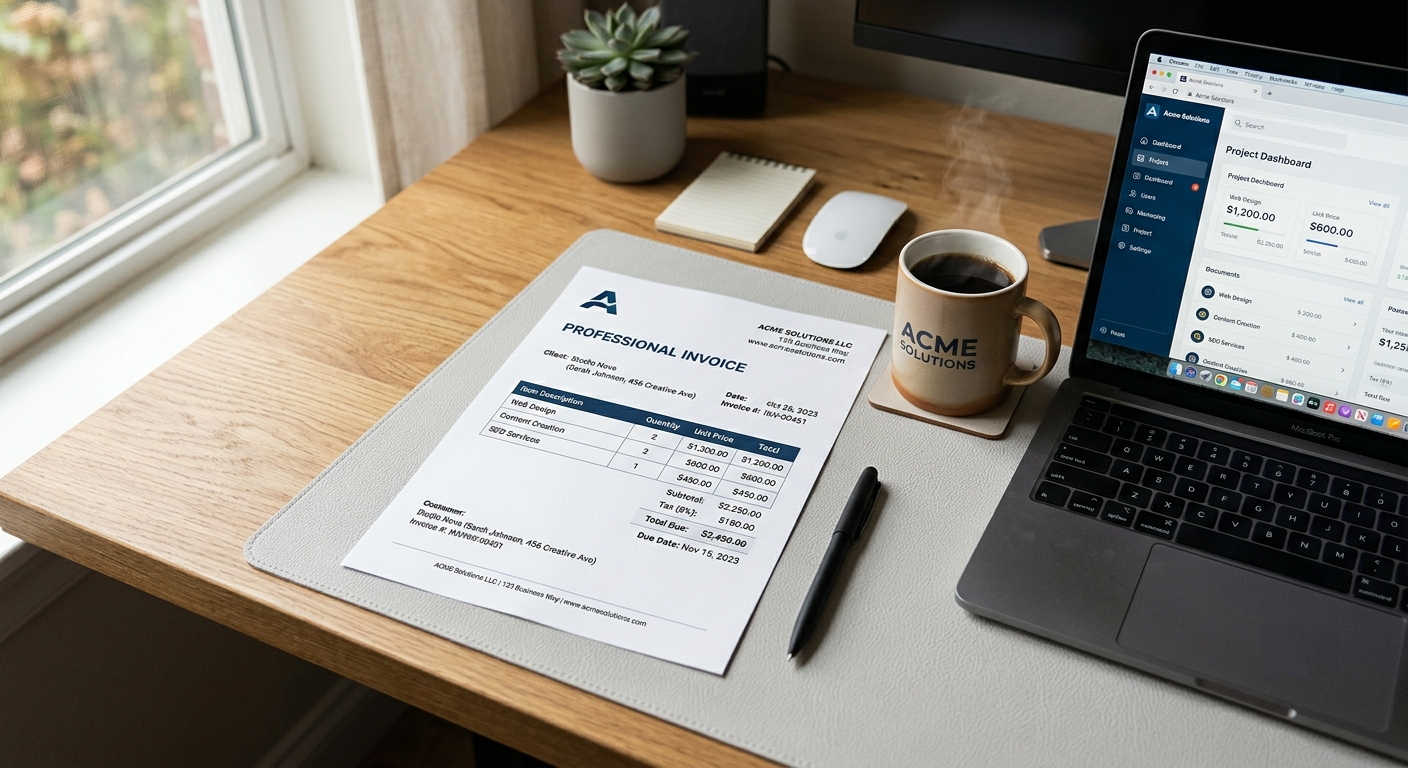
Here's what every invoice needs:
Your details:
- Your full name or business name
- Your address (even a brief one)
- Your email or phone number
- Your VAT or tax number, if you're registered
Your client's details:
- Their company name and billing address
- Ideally the name of the person who processes payments
Invoice specifics:
- A unique invoice number (something like INV-001, INV-002 works fine)
- The invoice date
- The payment due date
What you actually did:
- An itemised list of services or deliverables
- Quantity and unit rate for each
- A clear subtotal, any applicable tax, and a final total in bold
How to pay you:
- Bank transfer details, PayPal, Stripe: whatever you accept
- The clearer this is, the faster you get paid
I've seen clients sit on an invoice for two weeks because they weren't sure which bank account to use and felt awkward asking. You can eliminate that entirely just by being explicit.
Step 3: Set payment terms you actually mean
"Net 30" sounds professional. It also means you might not see money for a month after you deliver the work. For a lot of freelancers, especially early on, that's a long time to wait.
Think about what you actually need. A few options:
- Due on receipt: Payment expected immediately. Fine for small or one-off projects with established clients.
- Net 7 or Net 14: One to two weeks. A reasonable default for most freelancers.
- Net 30: Standard in many industries, but can strain cash flow if you're project-dependent.
- 50% upfront, 50% on completion: My personal favourite for larger projects. It protects you and filters out clients who aren't serious.
Whatever you choose, state it clearly on the invoice. "Payment due within 14 days of invoice date" is unambiguous. "Soon" is not.
You can also add a note about late payment fees, something like "A 2% monthly fee applies to overdue balances." You don't have to enforce it every time, but having it in writing changes the psychology of the transaction. It signals that you treat your business seriously and expect others to do the same.
Step 4: Follow up without apology
Here's something I had to unlearn: chasing payment is not rude.
You did the work. You held up your end of the agreement. Following up on an overdue invoice is not bothering someone. It's professional. The awkwardness you feel is yours to manage, not a reason to stay silent.
A simple, matter-of-fact reminder sent one day after the due date works well:
Hi [Name], just a quick follow-up on Invoice #042, which was due yesterday. Please let me know if you have any questions about it or if there's anything blocking payment. Happy to help sort it out.
Short. No guilt. No anger. Just a prompt.
If there's no response after another week, send a second one, slightly more direct. Most overdue payments get resolved at this stage. People are busy, invoices get buried in inboxes, and a gentle nudge helps them as much as it helps you.
Only after two or three ignored follow-ups do you need to escalate, and even then, a calm, factual tone is more effective than an emotional one.
Step 5: Keep records
This one saved me once.
A client disputed a payment, claiming they'd never received the invoice. I had the sent timestamp, the PDF, and two follow-up emails to prove otherwise. The dispute evaporated in about ten minutes.
Keep copies of every invoice you send. A simple folder by year works fine. If you're using an invoicing tool, the history is already there.
Also, reconcile your invoices against your payments at least once a month. You'd be surprised how easy it is to lose track of a small outstanding balance, and how quickly small balances add up.
The psychological side nobody talks about
Invoicing is uncomfortable for a lot of freelancers because it makes money explicit. During the project, the relationship is creative and collaborative. The invoice makes it transactional, and that can feel like a shift in dynamic.
But here's the reframe: your clients are businesses. They pay suppliers all the time. To your client's accounts team, your invoice is just another line item to process. There's nothing personal about it.
The awkwardness is almost entirely in your head, and the more you invoice professionally, promptly, and consistently, the faster it disappears.
One bad experience with a non-paying client can do in six weeks what no amount of advice can: make you completely unsentimental about getting paid.
A practical shortcut
If you're spending more than five minutes building an invoice from scratch, you're wasting time. A good invoicing tool, or even a well-structured template, should handle the layout, calculations, and numbering for you, so you can focus on the job.
Our free invoice generator lets you create a professional PDF invoice in under two minutes, with no account needed. Fill in your details, add your line items, and download. That's it.
It won't chase your clients for you. But at least it takes the friction out of the first step.
Quick summary
- Send invoices immediately after delivery, not whenever you get around to it
- Include every detail your client needs to pay you without asking questions
- Set payment terms you're comfortable with (Net 14 is a reasonable default)
- Follow up on overdue invoices without guilt or apology
- Keep records of everything you send
Getting paid isn't luck. It's process. Build a good one early and most of the headaches disappear.