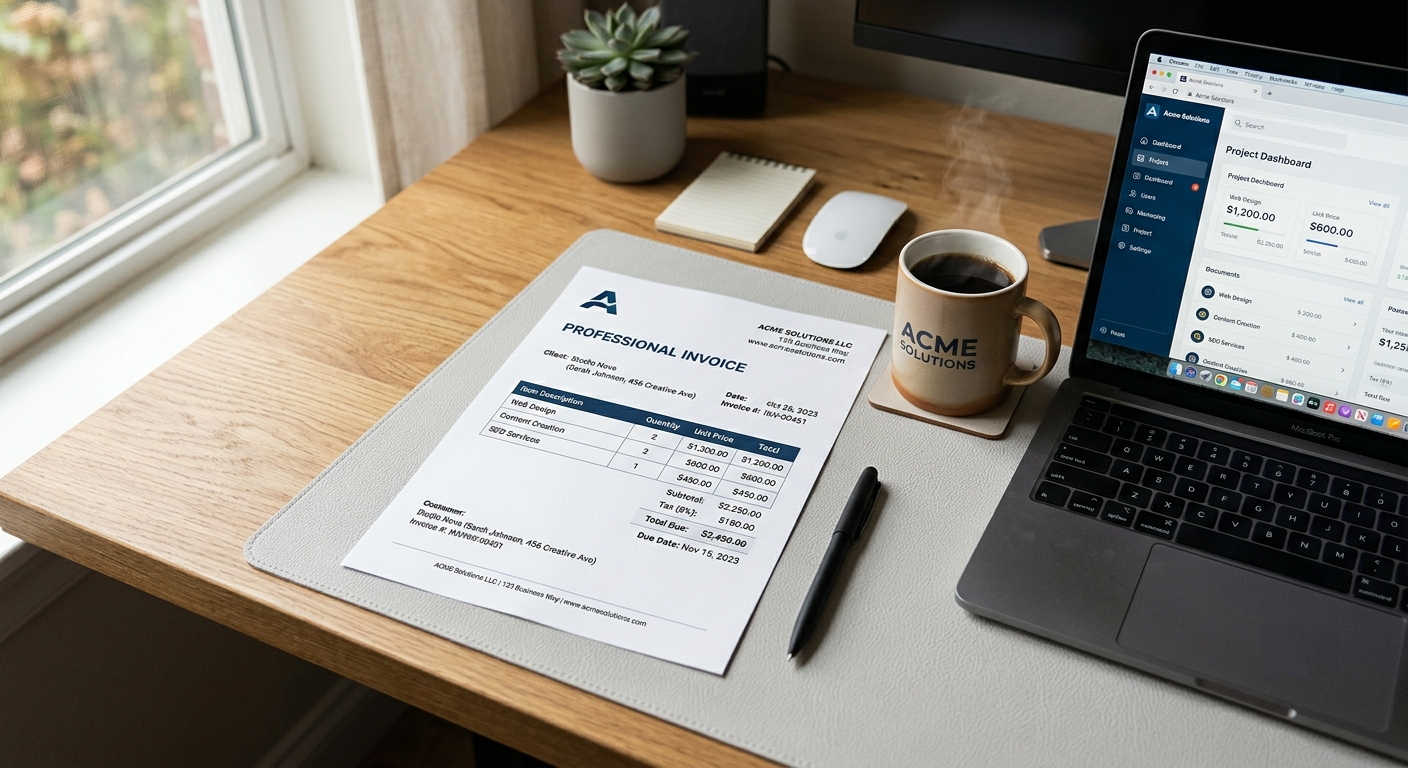
It's Friday afternoon. You've been working hourly for a new client all week, and now it's time to bill them. Your hours are scattered across a notes app, two calendar entries, and a sticky note that just says "Tue: 2.5ish?"
If that sounds familiar, you're not alone. Hourly billing seems like the simplest way to charge for your work, and in many ways it is. But turning a week of real work into a clean invoice for hours worked, one that a client approves without a single follow-up question, takes a bit of structure.
This guide gives you that structure. You'll learn how to track your time, how to handle partial hours, how to lay out your line items, and what a complete hourly invoice looks like from top to bottom.
The quick answer
To invoice for hours worked:
- Track your time as you go, with the date, task, and duration.
- Pick a rounding increment (like 15 minutes) and use it consistently.
- Convert your time to decimal hours (for example, 2 hours 30 minutes = 2.5).
- List your work as line items: description, hours, hourly rate, and amount.
- Add up the total, apply any tax, and include your payment terms and due date.
The rest of this guide shows you how to do each step properly, plus an example you can copy.
What an invoice for hours worked needs to include
An hourly invoice has all the parts of a regular invoice, plus a few time-specific details. Here's the full list:
- Your name or business name and contact details
- Your client's name and contact details
- A unique invoice number
- The invoice date and due date
- The billing period (for example, "September 15 to September 19, 2026")
- Your hourly rate
- Line items showing the work, the hours, and the amount for each
- Subtotal, any taxes, and the total due
- Payment terms and how to pay you
The billing period is the one people forget most often, and it's the one that saves the most confusion. It tells the client exactly which days this invoice covers, so there's no question about whether Monday's work was already billed last week.
Step 1: Track your time properly
Everything starts here. If your time tracking is fuzzy, your invoice will be too, and clients notice.
You don't need anything fancy. A free time tracking app works, but so does a simple spreadsheet with four columns:
| Date | Task | Start to end | Duration |
|---|---|---|---|
| Sep 15 | Homepage wireframes | 9:00 to 11:30 | 2h 30m |
| Sep 15 | Client call, feedback review | 1:00 to 1:45 | 45m |
| Sep 16 | Homepage revisions | 10:00 to 1:15 | 3h 15m |
The key habit is logging time as you work, not trying to reconstruct it on Friday. Memory is terrible at this. Try remembering exactly how long a task took three days ago and you'll see how much slips away. Plenty of freelancers who switch to real-time tracking discover they'd been underbilling for months.
Step 2: Choose a rounding increment
Nobody bills for 47 minutes and 12 seconds. You need a standard increment and you need to stick with it. The most common options are:
6 minutes (a tenth of an hour). Common with lawyers, accountants, and consultants. Very precise.
15 minutes (a quarter hour). The most popular choice for freelancers and contractors. Easy to calculate and easy for clients to understand.
30 minutes or 1 hour. Simple, but can feel unfair to clients on short tasks, like a quick five-minute email being billed as a full hour.
Whatever you choose, mention it in your contract or on your invoice. A short line like "Time is billed in 15-minute increments" heads off questions before they come up.
Also be fair about direction. Rounding every single task up to the next increment adds up fast, and clients who notice will start questioning everything. Rounding to the nearest increment is the more defensible approach.
Step 3: Convert minutes to decimal hours
Your invoice should show hours as decimals, not hours and minutes. "2.75 hours" is easy to multiply by a rate. "2 hours 45 minutes" isn't.
Here's a quick conversion chart:
| Minutes | Decimal hours |
|---|---|
| 6 minutes | 0.1 |
| 15 minutes | 0.25 |
| 20 minutes | 0.33 |
| 30 minutes | 0.5 |
| 40 minutes | 0.67 |
| 45 minutes | 0.75 |
| 50 minutes | 0.83 |
The formula is simple: divide the minutes by 60. So 1 hour and 45 minutes becomes 1 + (45 ÷ 60) = 1.75 hours.
A common mistake is writing 1 hour 30 minutes as "1.3." That's actually 1 hour and 18 minutes. The correct figure is 1.5, and on a big invoice those errors add up.
Step 4: Decide how to lay out your line items
There are three common ways to list hourly work on an invoice. Which one works best depends on your client and the kind of work you do.
Option A: One line per task
Best when you're doing distinct pieces of work that a client wants to see separately.
| Description | Hours | Rate | Amount |
|---|---|---|---|
| Homepage wireframes | 2.5 | $75.00 | $187.50 |
| Homepage revisions | 3.25 | $75.00 | $243.75 |
Option B: One line per day
Best for ongoing work or on-site contractors, where a daily breakdown makes it easy to cross-check against a schedule.
| Description | Hours | Rate | Amount |
|---|---|---|---|
| Sep 15: wireframes, client feedback call | 3.25 | $75.00 | $243.75 |
| Sep 16: homepage revisions | 3.25 | $75.00 | $243.75 |
Option C: A single summary line plus a timesheet
Best when you log lots of small tasks. Put one line on the invoice ("Design services, September 15 to 19: 22.5 hours") and attach a detailed timesheet as a second page or separate file.
If you're not sure, go with Option A or B. Detail builds trust, and clients rarely dispute an invoice that shows exactly where the hours went.
A complete invoice for hours worked (example)
Here's a full example of a weekly hourly invoice for a freelance designer billing $75 an hour.
From: Jane Doe Design To: Northwind LLC Invoice #: 2026-058 Invoice date: September 19, 2026 Due date: October 3, 2026 Billing period: September 15 to September 19, 2026
| Description | Hours | Rate | Amount |
|---|---|---|---|
| Sep 15: homepage wireframes | 2.5 | $75.00 | $187.50 |
| Sep 15: client call, feedback review | 0.75 | $75.00 | $56.25 |
| Sep 16: homepage revisions | 3.25 | $75.00 | $243.75 |
| Sep 17: product page layouts | 5.0 | $75.00 | $375.00 |
| Sep 18: mobile layouts, all pages | 6.0 | $75.00 | $450.00 |
| Sep 19: final revisions and file handoff | 5.0 | $75.00 | $375.00 |
| Total hours | 22.5 | ||
| Total due | $1,687.50 |
Notes: Time billed in 15-minute increments. Payment due within 14 days (Net 14). Please include the invoice number with your payment.
Every number on this invoice can be checked in a few seconds. That's the goal.
How often should you invoice for hourly work?
For ongoing hourly work, a regular rhythm keeps cash coming in and keeps invoices small enough to review quickly.
Weekly: Great for new clients or short engagements. You find out quickly if a client is a slow payer.
Every two weeks: A good middle ground for steady, ongoing work. It also lines up with how many companies run payroll and payables.
Monthly: Common for long-term clients and retainers. Fewer invoices, but a longer wait for your money.
Whatever you choose, put it in your agreement so your invoices arrive when the client expects them. If you want to understand what "Net 14" or "Net 30" means for your cash flow, our guide to invoice payment terms breaks it down.
Tips for contractors in the US and Canada
A few things are worth knowing if you're working as an independent contractor rather than an employee.
You invoice as a business, not an employee. Even if you track hours like an employee, your invoice should look like it comes from a business: your own business name, your own invoice number, and your own payment terms. It's a small thing, but it reinforces that you're an independent contractor.
There's no overtime pay for contractors. Overtime rules apply to employees, not independent contractors. If you want to charge more for evenings, weekends, or rush work, agree on a higher rate in advance and list it as a separate line on the invoice.
US contractors: Most clients will ask for a W-9 before your first payment. If a client pays you $2,000 or more during 2026 (up from the old $600 threshold), they'll send you a 1099-NEC after the year ends. Your invoices are the record that backs up those numbers. Our post on W-9 vs 1099 vs invoice explains how they fit together.
Canadian contractors: If you're registered for GST/HST, add the correct tax to your hourly total and show your GST/HST number on the invoice. Our guide to GST/HST invoice requirements in Canada covers exactly what's required.
Common mistakes to avoid
Vague descriptions. "Work, 8 hours" invites questions. "Database migration and testing, 8 hours" doesn't.
Mixing up hours and minutes. Remember: 1 hour 30 minutes is 1.5, not 1.3.
Not stating the billing period. Without dates, it's too easy for the client to wonder whether some of the work was already billed.
Billing for hours you didn't agree to. If a project is running over the estimate, tell the client before you invoice, not on the invoice itself. Surprise hours are the fastest route to a disputed bill.
Waiting too long to invoice. The longer you wait, the harder it is for the client to remember the work, and the longer you wait to get paid. If that's already happened and a client has gone quiet, here's what to do when a client doesn't pay.
Creating an hourly invoice with our free generator
Our invoice generator works well for hourly billing:
- Add a line item for each task or day, and include the date in the description.
- Enter your hours in the Qty column (decimals like 2.5 or 0.75 work fine).
- Enter your hourly rate in the rate column. Each line's amount is calculated automatically.
- Add the billing period and your rounding increment in the notes.
- Set a tax rate if you charge sales tax or GST/HST, then download the PDF.
Your invoices are saved in your browser's invoice history, so next week you can load this invoice, update the dates and hours, give it a new number, and send it in a couple of minutes.
Quick FAQ
How do I write an invoice for hours worked? List each task or day as a line item with a description, the number of hours, your hourly rate, and the amount. Add the billing period, a total, your payment terms, and a due date.
How do I bill for partial hours? Choose a standard increment (15 minutes is the most common), round consistently, and convert to decimals by dividing minutes by 60.
Should I attach a timesheet to my invoice? If your invoice uses a single summary line, yes. If each line already shows the date, task, and hours, a separate timesheet is usually unnecessary unless the client asks for one.
Can I invoice weekly as a freelancer? Absolutely. Weekly invoicing is common for hourly work, especially with new clients. Just agree on the schedule upfront.
The takeaway
Invoicing for hours worked comes down to a few habits: track your time as you go, round consistently, convert to decimal hours, and describe the work clearly enough that a client could check it without calling you. Add a billing period and clear payment terms, and your hourly invoices will get approved and paid without friction.
Ready to bill this week's hours? Create a free hourly invoice in a couple of minutes. No signup, no watermark, just a professional PDF you can send today.